Why Wallets Show Different Fee Estimates for the Same USDT Transfer
The same USDT TRC-20 transfer burned 0 to 13.36 TRX on Nov 15, 2026. The inputs behind a wallet's fee estimate and how to recompute it yourself.
- Category
- Calculations
- Published
- Reading time
- 8 min
Two wallets, or the same wallet an hour apart, can show different fees for one USDT TRC-20 transfer because the estimate is built from inputs that change: the energy and bandwidth on your address, whether the recipient holds USDT, the fee limit the wallet attaches, the contract’s dynamic surcharge and the TRX exchange rate. The network itself charges by one rule in every wallet. On Nov 15, 2026, identical USDT transfers in two blocks 90 seconds apart cost their senders anywhere from 0 to 13.36 TRX.
One transfer, eight different bills
We pulled every receipt from blocks 88,020,200 (09:21:51 UTC) and 88,020,230 (09:23:21 UTC) with gettransactioninfobyblocknum and kept plain transfer calls to the USDT contract. Same action, same contract, different conditions:
| Transaction | Energy used | From the address’s energy | Burned for energy | Burned for bandwidth | Total burned, TRX |
|---|---|---|---|---|---|
| f50f9a40… | 64,285 | 64,285 | 0 | 0 (345 covered) | 0 |
| 771d90cb… | 64,285 | 64,285 | 0 | 0.345 | 0.345 |
| ba922e87… | 64,285 | 0 | 6.4285 | 0 (345 covered) | 6.4285 |
| 7a14725e… | 64,285 | 0 | 6.4285 | 0.345 | 6.7735 |
| f5d27d50… | 130,285 | 130,285 | 0 | 0.345 | 0.345 |
| 89da5dc7… | 130,285 | 129,991 | 0.0294 | 0.345 | 0.3744 |
| 1442b7d4… | 130,285 | 119,782 | 1.0503 | 0 (345 covered) | 1.0503 |
| 5a661b1d… | 130,285 | 201 | 13.0084 | 0.347 | 13.3554 |
Energy burns at 100 SUN per unit and bandwidth at 1,000 SUN per unit (chain parameters, Nov 15, 2026). Every row is the network applying the same formula. A wallet that guesses any of these inputs differently shows a different number.
Input 1: what your address already has
Energy on the address, whether staked by you or delegated by someone else, is spent first. TRX is burned only for the remainder, so the row with 119,782 units on hand paid 1.05 TRX instead of 13.03. The address 294 units short paid 0.03 TRX for energy. You can see both numbers for any address in TronScan (how to read them).
Bandwidth works differently. Each activated address gets 600 free units a day, and the resource model docs say each source must cover the whole transaction or the network burns TRX for the entire size. A USDT transfer is about 345 bytes (the sample ran from 339 to 479; the largest carried a memo or several signatures, and the network charges 1 TRX for each of those on top), so one leftover of 300 units does not help: the full 0.345 TRX is burned. A wallet that reads your bandwidth a few minutes before you press send can be off by exactly that amount.
Input 2: the recipient’s USDT balance
The recipient’s state changes the energy, not yours. 64,285 units if the address holds USDT, 130,285 if it holds none, as the table shows. The background is in why sending to a new address costs more.
We also tested an address that does not exist on chain at all. At 09:24 UTC we generated a random address, confirmed that getaccount returned an empty object for it, and simulated a 10 USDT transfer to it from a large USDT holder. The result: 130,285 energy, the same as for an activated address without USDT. The simulation reports energy only; nothing in it creates an account. The 1 TRX activation fee is tied to TRX and TRC-10 transfers (activation explained); a USDT transfer does not trigger it, and the recipient still cannot send until someone activates the address with TRX.
Input 3: the fee limit is a ceiling, not a price
Every contract call carries a fee_limit, the most the sender agrees to spend. Wallets set it themselves. In block 88,020,200 the 56 USDT transfers had 14 different limits, from 6.4285 TRX to 1,000 TRX. The most common was 100 TRX (23 transfers), then 50 TRX (10). The largest real burn in that block was 6.7735 TRX.
TronLink’s developer CLI documents its own default for TRC-20 transfers: a fee limit of 100 TRX (TronLink CLI docs). The network cap is 15,000 TRX (getMaxFeeLimit). If a wallet shows you the limit or an upper bound of the fee, the number looks huge but describes a worst case. The TronLink case is covered in this guide. A limit set too low has the opposite effect: the transfer fails with OUT_OF_ENERGY.
Input 4: the dynamic surcharge
Of the 64,285 units, 14,650 are the base cost and 49,635 are the dynamic penalty that busy contracts pay. On Nov 15, 2026 the USDT contract had energy_factor 34,000, the maximum the network allows (getDynamicEnergyMaxFactor), and by 09:16 UTC had already used about 6.07 billion energy in the current window against a threshold of 5 billion. The TRON docs say the factor steps up gradually to the cap and decays when usage drops. A wallet that simulates the call sees the current factor. A wallet that relies on a stored number shows whatever was true when the number was written. Committee votes can change these parameters too (how proposals affect fees).
Input 5: conversion into your currency
Most wallets also show the fee in dollars or another currency. That figure is the TRX amount times the TRX price at that moment, so it moves even when the TRX amount does not. When two estimates disagree, compare them in TRX first.
Simulation or a fixed table
There are two ways to get the energy figure. A simulation (triggerconstantcontract) runs the transfer against the current state; ours returned 64,285 and 130,285, matching the receipts to the unit. A fixed table uses rounded values such as 65,000 and 131,000, which is why a table-based estimate sits slightly above the real burn. The developer side of simulation is in estimating energy before a transfer.
Recompute a wallet’s estimate yourself
- Open your address in TronScan and note available energy and bandwidth, including the free 600.
- Open the recipient’s address and check for USDT from contract
TR7NHqjeKQxGTCi8q8ZY4pL8otSzgjLj6t. Balance above zero: 64,285 energy. Zero or no USDT: 130,285. - Energy shortfall = needed energy minus available energy, not below zero. Burn = shortfall × 100 SUN.
- Bandwidth: if staked or free bandwidth covers about 345 units in one source, 0; otherwise 0.345 TRX.
- Add them up in TRX and only then convert to your currency. A memo or a transfer with several signatures adds 1 TRX each.
Model calculation: your address has 30,000 energy and 200 free bandwidth left, the recipient holds USDT. Energy: (64,285 - 30,000) × 100 = 3,428,500 SUN, or 3.4285 TRX. Bandwidth: 200 is less than 345, so 0.345 TRX. Total 3.7735 TRX. If your wallet shows something far above that, it is probably displaying the fee limit.
For a fuller TRX budget per case, see how much TRX you need to send USDT.
How to make the estimate drop to near zero
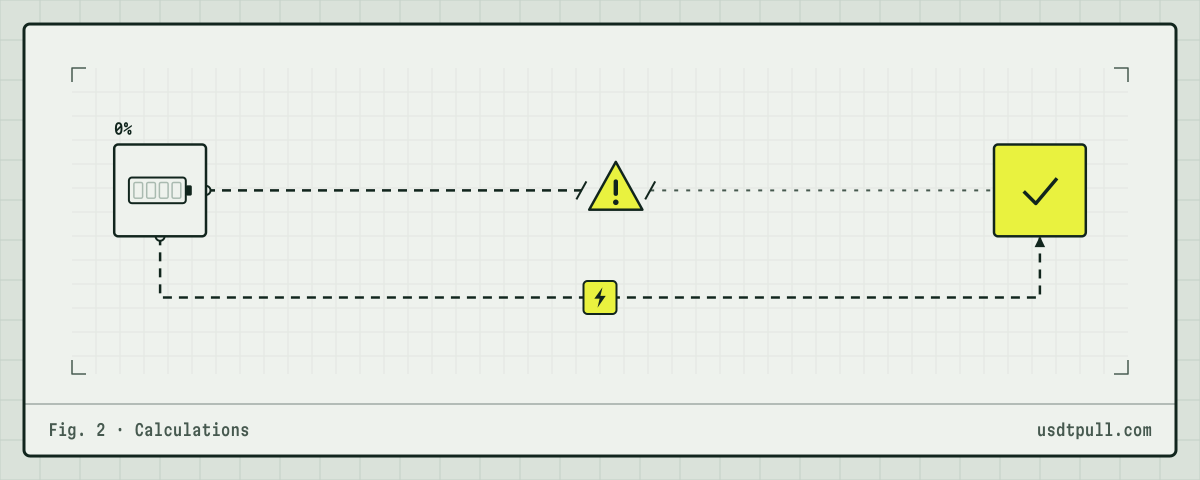
The burn disappears when the energy is on the address before you sign. Two ways: stake TRX yourself (about 6,700 TRX per standard transfer a day as of Nov 15, 2026) or rent energy for the transfer. Renting 65,000 energy for 1 hour at 34 SUN per unit costs 2.21 TRX at the rate on Nov 22, 2026, against 6.43 TRX burned for the same transfer. The rate changes, and the exact price is shown in the service before you pay; reference prices are on the pricing page. After the energy arrives, refresh the wallet: a correct estimate should fall to zero or to the bandwidth part only.
FAQ
Is Trust Wallet or TronLink cheaper for USDT transfers? Neither sets the network fee. The same address with the same resources pays the same burn from any wallet. Different screens come from different inputs and limits.
Why is the estimate higher than what TronScan shows afterwards? Usually the estimate includes a fee limit, rounded energy values or bandwidth your address ended up covering without a burn.
Does sending USDT to an unactivated address cost an extra 1 TRX? No. It costs 130,285 energy, the same as any address without USDT. Activation needs a TRX transfer.
Why did my fee change between two attempts? Your energy or bandwidth was used up in between, the recipient’s balance changed, or the TRX price moved. More answers are in the FAQ.