How to Check Energy and Bandwidth of an Address on TronScan
Where TronScan shows energy and bandwidth, how to read Available X / Y, whether it covers a USDT transfer and who delegated the energy. With a real address.
- Category
- Guides
- Published
- Reading time
- 8 min
To check the energy of a TRON address, open tronscan.org, paste the address into the search bar and look at the account overview: the Energy row shows “Available: X / Y”, where X is what you can spend right now and Y is your total limit. The Bandwidth row works the same way. As of Oct 19, 2026, a standard USDT transfer needs 64,285 energy and 345 bandwidth, and a transfer to an address with no USDT needs 130,285 energy, so compare the first number in each row with those figures.
Below: where the numbers sit, how to read them, a real address that still paid TRX, who delegated the energy and the same check through the API.
Where TronScan shows energy and bandwidth
Labels below are quoted from the English interface of TronScan as we saw it on Oct 19, 2026.
- Open tronscan.org and paste the address. The account page opens on the Transactions tab.
- In the overview block, find the rows TRX Available, TRX Staked, Energy and Bandwidth.
- Read the Energy row, for example “Available: 810 / 130,015”.
- Hover over the second number to see where the limit comes from. For energy, TronScan splits it into “From my stake” (your own staked TRX) and “From others’ delegation” (energy another address passed to you), with a percentage for each.
- Hover over the bandwidth limit. Most wallets show “Free” 600 Bandwidth (100%), the daily allowance of an activated address.
The token list shows whether the address holds USDT. Unknown tokens with advertising names are airdropped spam: ignore them.
What the numbers mean for a USDT transfer
The rule is simple: compare Available, not the total. Network figures are as of Oct 19, 2026: 100 SUN per unit of energy and 1,000 SUN per unit of bandwidth when the network burns TRX.
| What you see | What it means | Enough for a USDT transfer? |
|---|---|---|
| Energy: Available 70,000 / 72,000, recipient holds USDT | Most of the limit is unused | Yes, 64,285 is covered |
| Energy: Available 70,000 / 72,000, recipient has no USDT | Covers about half of 130,285 | Partly: the network burns 6.0285 TRX for the missing 60,285 |
| Energy: Available 0 / 0 | No stake and no delegation | No: 6.4285 TRX burned for a standard transfer |
| Energy: Available 810 / 130,015 | The limit is large, but it was just spent and is recovering | No, not right now |
| “From others’ delegation” 100% | All the energy is delegated by another address | Yes while the delegation lasts; it can be taken back |
| Bandwidth: Available 600 / 600 | Free allowance untouched | Yes, 345 fits |
| Bandwidth: Available 256 / 600 | Free allowance partly used today | No: 0.345 TRX burned for all 345 units |
| TRX Available below the burn you expect | Nothing to cover a shortfall | The transfer may fail with OUT OF ENERGY |
Bandwidth is all or nothing: with 256 free units left and 345 needed, the network burns TRX for all 345. Details are in TRON energy vs bandwidth.
A real address: 281 energy short
One address around a single transfer on Oct 19, 2026, times in UTC:
- 05:15:51 and 05:17:48. Another address delegated energy to TW1NsYZg4bjFHoqUgDeakbTdGbEXRo7JwV in two operations of 6,778 TRX each (first, second). The address had no stake of its own.
- 05:15:48 and 05:17:45. The address sent 2 TRX twice, each time using 267 units of free bandwidth.
- 05:18:06. It sent USDT to an address with no USDT. The receipt shows 130,285 energy needed, 130,004 covered by the delegation and 28,100 SUN burned for the missing 281. Free bandwidth left was below 345, so another 345,000 SUN was burned. Total: 0.3731 TRX.
- 05:27. The overview showed Energy “Available: 810 / 130,015” and Bandwidth “Available: 71 / 600”.
Why 13,556 TRX was not quite enough
A delegation is set in TRX, not in energy. The energy it brings follows the network ratio, which changes as other people stake. On Oct 19, 2026, one staked TRX gave 9.59 energy a day (180,000,000,000 / 18,769,250,144 = 9.5902), so:
- 13,556 TRX × 9.5902 = 130,004 energy, exactly what the receipt used;
- 130,285 / 9.5902 = 13,585.3, so 13,586 TRX would have covered it fully.
At the Oct 13 ratio of 9.61, the same 13,556 TRX would have been almost exactly enough. The loss is 0.0281 TRX, but the lesson holds: check Available, not the amount ordered. The bandwidth burn was over ten times bigger: the two 2 TRX transfers had used 534 of 600 free units.
Leftover energy can vanish
Two other senders in the same block had no stake and burned nothing for energy at 05:18:06, so their energy was delegated. Less than two minutes later the API showed no energy on either address: the delegation had been taken back. Do not plan around leftovers.
How to see that rented energy arrived and who sent it
Rental works through delegation, which TronScan shows in three places:
- Transactions tab. A new row with the type Delegate Resources. The From column is the address that delegated. When the energy is taken back, a row with the type Reclaim Resources appears.
- Staking tab, Stake 2.0, “Delegated by others (N)”. The table has the columns From, Type, Delegation Amount, Unlock At (Local), TRX Withheld and Updated At (Local). For our address it read: Energy, 130,015, “(No active lock)”, 13,556 TRX.
- Hover over the energy limit. “From others’ delegation” shows the delegated share in energy and percent.
“(No active lock)” means the delegator can take the energy back at any time. With a lock, Unlock At shows the earliest date; the longest lock allowed by getMaxDelegateLockPeriod as of Oct 19, 2026 is 864,000 blocks, about 30 days. Ordering step by step is in the guides.
If Available falls short, you burn the difference or bring energy. At the current rate on Nov 12, 2026, 26 SUN per unit of energy for 1 hour, 65,000 energy costs 1.69 TRX against 6.5 TRX burned. The rate changes. The exact price is shown in the app before you pay, and reference prices are on the pricing page.
The same check through the API
The public TronGrid method getaccountresource returns the same data:
curl -X POST https://api.trongrid.io/wallet/getaccountresource \
  -H "content-type: application/json" \
  -d '{"address":"TW1NsYZg4bjFHoqUgDeakbTdGbEXRo7JwV","visible":true}'
Our call at 05:28:45 UTC on Oct 19, 2026 returned, among other fields:
{"freeNetUsed":528,"freeNetLimit":600,"EnergyUsed":129042,"EnergyLimit":130015,
"TotalEnergyLimit":180000000000,"TotalEnergyWeight":18767650134}| Field | What it holds | How to use it |
|---|---|---|
EnergyLimit |
Energy limit of the address | Available energy = EnergyLimit - EnergyUsed |
EnergyUsed |
Spent, not yet recovered | Falls as energy recovers |
freeNetLimit, freeNetUsed |
Free daily bandwidth and its use | Free left = freeNetLimit - freeNetUsed |
NetLimit, NetUsed |
Staked or delegated bandwidth | Left = NetLimit - NetUsed |
TotalEnergyLimit, TotalEnergyWeight |
Network energy and TRX staked for it | Ratio = energy per staked TRX |
Three things the documentation does not spell out:
- Zero fields are left out. No
EnergyLimitmeans no energy; treat a missing field as 0. EnergyLimitincludes delegated energy. The reference calls it energy obtained by staking, yet our address has 0 TRX staked and shows 130,015.- Who delegated:
getdelegatedresourceaccountindexv2lists delegators infromAccounts, andgetdelegatedresourcev2for a pair returnsfrozen_balance_for_energy: 13,556,000,000 SUN for ours, the TRX Withheld figure on TronScan.
Before you send: a short checklist
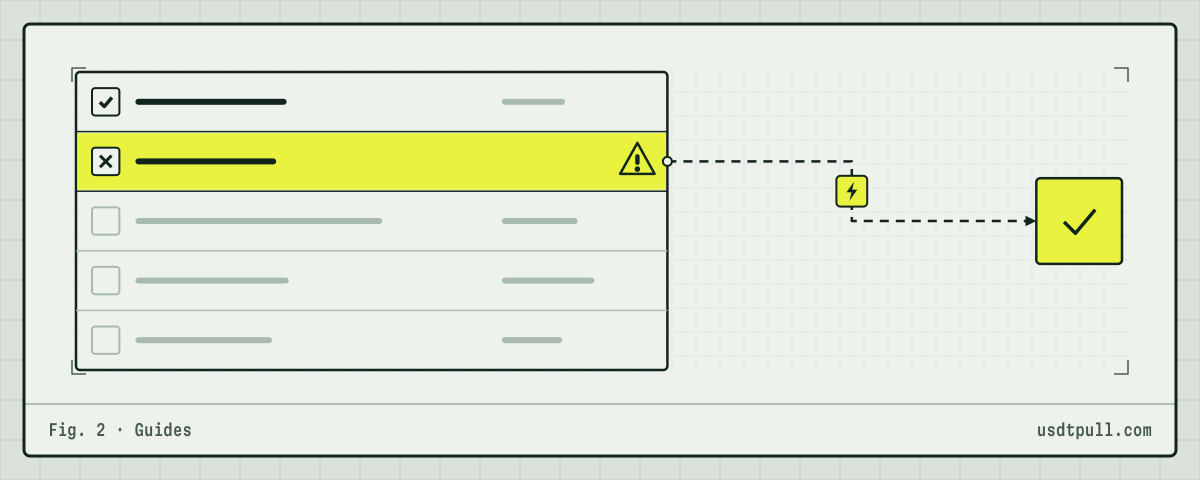
- Look up the recipient. No USDT in their token list means 130,285 energy, not 64,285. Why a new address costs more explains the difference.
- Read Available energy on your own address and compare it with that number.
- Read Available bandwidth. Below 345 means 0.345 TRX will be burned, so keep at least that much TRX.
- If energy was just delivered, open Delegated by others and check the amount and the lock.
- Send right after the check and read the receipt afterwards. The exact TRX for each case is in how much TRX you need to send USDT.
FAQ
Why does TronScan show energy but my transfer still burned TRX? Available was below what the transfer needed, often because the recipient had no USDT. A 0.345 TRX bandwidth burn is separate.
How fast does energy come back after a transfer? Gradually, over a rolling 24 hours for a standard stake.
Can I see when rented energy will leave? Only if the delegation is locked: see Unlock At. Otherwise it is usually taken back at the end of the rental term.
Does TronLink show the same numbers? It reads the same chain data but may refresh later. Wallet steps are in sending USDT from TronLink with energy, and errors after a short balance are covered in the OUT OF ENERGY guide.