Is Renting TRON Energy Safe? What a Provider Can and Cannot Do
Renting TRON energy never needs your key or signature: the provider signs the delegation. What it can and cannot do to your address, and real risks to check.
- Category
- Guides
- Published
- Reading time
- 8 min
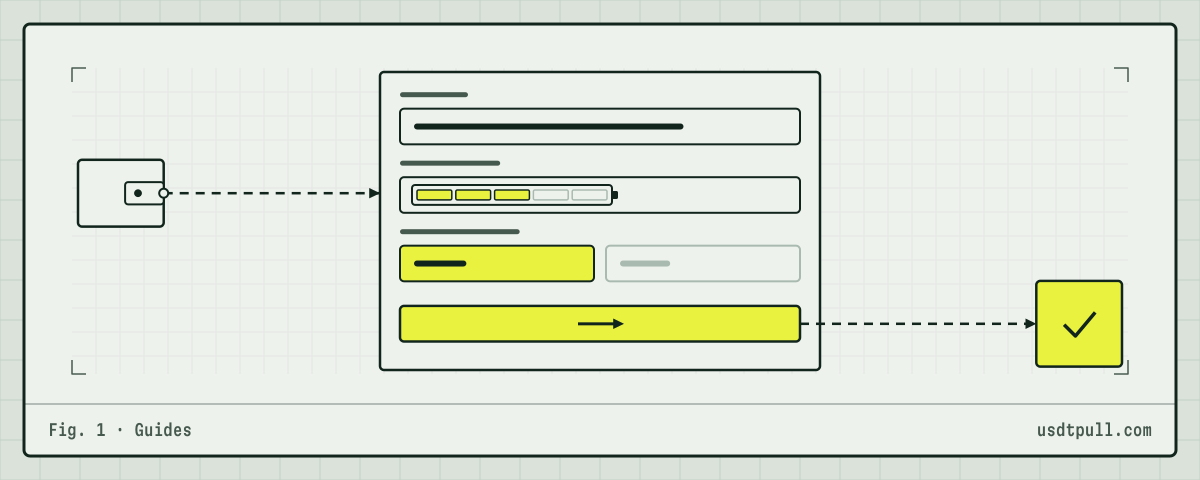
Renting TRON energy is safe in the way that matters most: the provider cannot move, freeze or spend anything on your address. Energy arrives through a DelegateResource transaction that the provider signs with its own key, and your address appears in it only as the receiver. You do not sign anything to receive energy, and no provider ever needs your private key or seed phrase.
The real risks sit around the rental: fake sites, requests to sign a transaction, and energy that ends or falls short before your transfer. Below: what a provider can and cannot do, each risk with a way to check it, and how to confirm in TronScan that you got a delegation and nothing else.
Why the provider has no access to your address
On TRON, every transaction is authorized by the permissions of the address that sends it. A delegation has an owner_address, the provider, and a receiver_address, you (delegation guide). The owner’s key signs it. The delegation in block 87,237,917 on Oct 19, 2026, which we follow in how energy delegation works, carries exactly one signature: the owner’s.
Your USDT is a balance in the USDT contract under your address, and moving it takes a transaction signed under your address’s permissions. Delegation does not touch those permissions, your balance or your stake. It only changes who may use a slice of the provider’s energy.
UsdtPull works the same way: the service temporarily delegates energy to the client’s wallet and has no access to the client’s wallet or keys.
What a provider can and cannot do
| Action | Can the provider do it? | Why |
|---|---|---|
| Delegate energy or bandwidth to your address | Yes | It signs DelegateResource from its own stake |
| Take the energy back before the term ends | Yes, unless the delegation is locked | UnDelegateResource works at any time without a lock |
| Lock the energy for up to 30 days | Yes | The lock binds the provider, not you: 864,000 blocks max as of Oct 19, 2026 |
| See your address and its history | Yes, like anyone | All TRON transactions are public |
| Send TRX or tokens to your address | Yes, like anyone | Receiving needs no consent on TRON |
| Move USDT or TRX from your address | No | That needs a transaction signed by your key |
| Change your address’s permissions | No | AccountPermissionUpdate must come from your address |
| Approve your tokens to someone | No | approve is a call made by the token holder |
| Unstake or vote with your TRX | No | Only the owner of the stake can do that |
| Make you pay more later | No | Delegation has no fee for the receiver and creates no debt |
The last row follows from how reclaiming works. When the provider takes the delegation back, the energy you used is moved to the provider’s side (resource reclamation). Nothing is charged to your address.
Risk 1: a request to sign a transaction
Since receiving energy needs no signature from you, any request to sign something “to activate energy” or “to verify the address” is a warning sign. Two transaction types do real damage.
AccountPermissionUpdate
This contract replaces an address’s whole permission setup (multi-signature docs). The owner permission has full control, including over permissions. If you sign an update that puts someone else’s key into the owner permission and leaves yours out, your funds stay on your address, but only the new key can move them.
It is also expensive to sign: getUpdateAccountPermissionFee is 100 TRX as of Oct 19, 2026, on top of resources. A transaction that would cost you about 100 TRX “to get energy” is a reason to stop and read it.
approve on USDT or another token
By the TRC-20 standard, approve lets a spender move up to a set number of your tokens later through transferFrom. Signing it moves nothing, so it looks harmless. The loss comes later, when the spender calls transferFrom. On chain it is a contract call to the token contract, with the method approve and a spender address. A delegation never needs this.
How to check: if you already signed one, set the allowance back to zero with a new approve(spender, 0) from your address. If you signed a permission update, look at your address’s permissions: the node method wallet/getaccount returns owner_permission and active_permission with the keys and threshold. Only your own address should be there.
Risk 2: fake sites and fake support
The most common loss has nothing to do with the network. A copy of a rental site asks for a seed phrase “to connect the wallet”, or someone in a chat offers help and asks for a key. Both give full control of the address, and a TRON transaction cannot be reversed.
Three rules close this off: open the service from your own bookmark, not a link from a message; give only the public address; never sign anything on a page in order to receive energy.
Risk 3: the energy ends before the transfer
Rented energy lasts for the paid term, and without a lock the provider can undelegate the moment it ends. In the cycle we followed on Oct 19, 2026, the energy was taken back 9 seconds after delegation, right after the USDT transfer. If you send after the energy is gone, the network burns TRX instead: 6.43 TRX for a standard transfer (64,285 energy at 100 SUN), or the transfer fails if TRX is short. The failure case is covered in the OUT OF ENERGY guide.
How to check: send soon after the energy arrives and confirm the energy figure on your address first.
Risk 4: less energy than the transfer needs
A transfer to an address with no USDT uses 130,285 energy, about twice a standard one. With 65,000 rented, the network burns TRX for the other 65,285 units: 6.53 TRX at 100 SUN.
The gap is cheaper to fix before sending. At the current rate on Nov 12, 2026, 26 SUN per unit for 1 hour, 131,000 energy costs 131,000 × 26 SUN = 3.41 TRX, against 13.03 TRX burned for the same transfer with no energy. The rate changes. The exact price is shown in the service before you pay, and reference prices are on the pricing page.
How to tell in advance whether the recipient holds USDT is in why a transfer to a new address costs more.
A risk that comes with any USDT transfer
Watch for tiny transfers that follow your own. One minute after the transfer above, the same receiver address got 0.000001 TRX from TX2HiU…vMHd5 (transaction). The USDT had gone to TEsPXd…GfPd5, and both end in “d5”. On another address in the same minutes, two 2-SUN transfers came from addresses whose last two characters matched the two addresses it had just paid. This matches the pattern known as address poisoning: a look-alike address is planted in your history in the hope that you copy it next time. Copy addresses from the source, not from your history.
How to confirm in TronScan that you got a delegation
Open your address or the transaction hash on tronscan.org and check four things:
- The type is a resource delegation (
DelegateResourceContractin the API), not a transfer, an approval or a permission change. - The owner is not you. The provider’s address is the owner; your address is the receiver.
- The resource is energy, and the amount converts to what you ordered: about 6,778 TRX for 65,000 energy as of Oct 19, 2026.
- Your own history has nothing new signed by you. A delegation adds an incoming record. If an outgoing transaction from your address appears that you did not make, act on it at once.
Step-by-step ordering is in the guides, and general questions are in the FAQ.
FAQ
Does an energy provider need my private key or seed phrase? No. The provider signs the delegation with its own key. Your address only receives.
Can a provider take the energy back early? Yes, unless the delegation is locked. That is why the transfer should go out soon after the energy arrives.
Can renting energy cost me more than the rental price? Only through the network itself: if the energy is gone or short, the transfer burns TRX at 100 SUN per unit.
What should I never sign when renting energy?
Nothing at all is needed, so be most careful with an account permission update and an approve call.